Table of Contents
What is Amazon PPC?
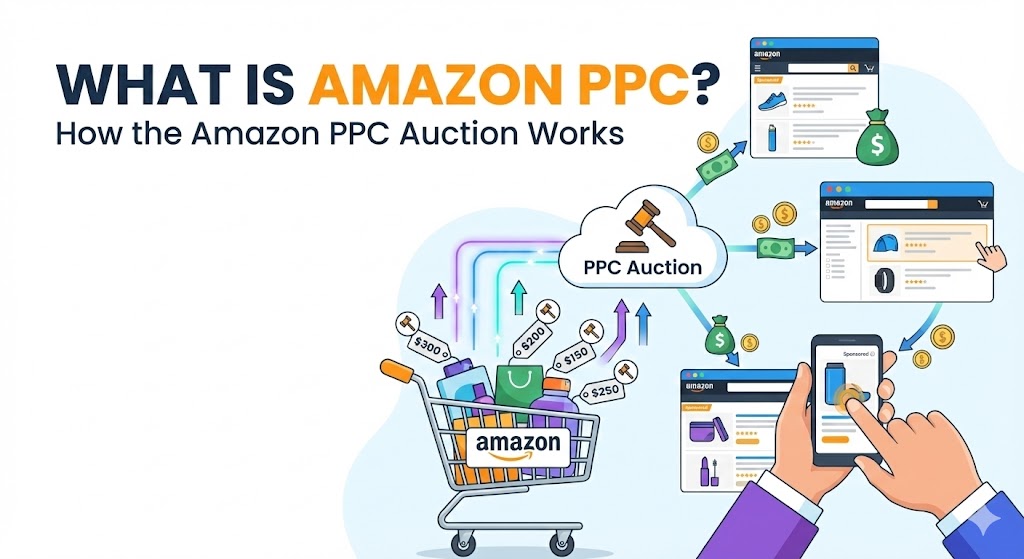
Amazon PPC (Pay-Per-Click) is Amazon's advertising platform that allows sellers to promote their products directly on the marketplace. Unlike traditional advertising where you pay for impressions, with PPC you only pay when a shopper actually clicks on your ad.
Think of it as renting premium real estate on Amazon. Your products can appear at the top of search results, on competitor product pages, and even off-Amazon on external websites—all while you maintain complete control over your budget and targeting.
Why Amazon PPC Matters in 2025
- •Over 60% of Amazon product searches now show sponsored results first
- •Organic ranking algorithms favor products with strong sales velocity
- •PPC drives the initial sales needed to build organic momentum
- •Competition continues to increase, making paid visibility essential
How Does Amazon PPC Work?
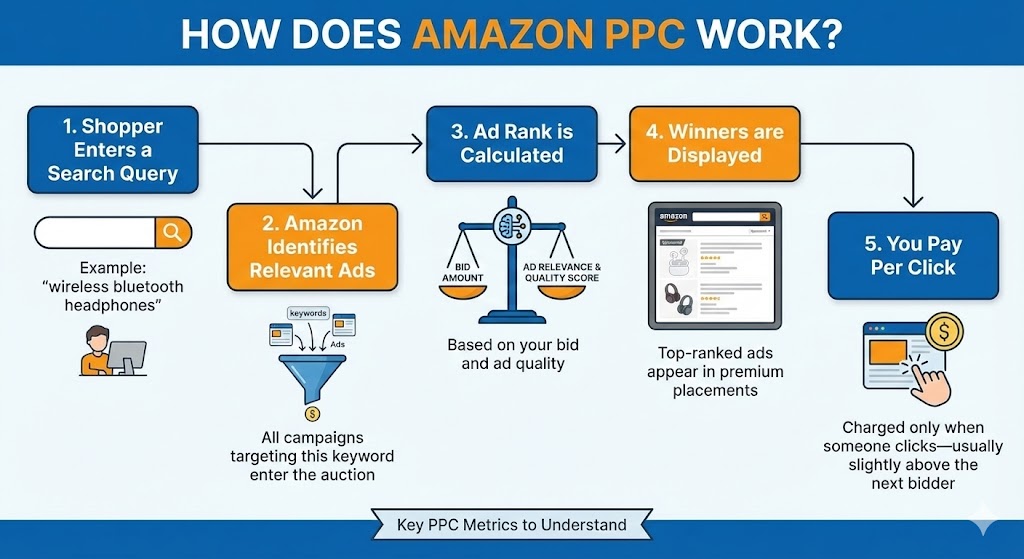
Amazon PPC operates on an auction-based system. When a shopper searches for a product, Amazon runs an instant auction among all advertisers targeting that search term. The winners get their ads displayed, and they pay only when someone clicks.
The Auction Process
1. Shopper enters a search query
Example: "wireless bluetooth headphones"
2. Amazon identifies relevant ads
All campaigns targeting this keyword enter the auction
3. Ad rank is calculated
Based on your bid amount and ad relevance/quality score
4. Winners are displayed
Top-ranked ads appear in premium placements
5. You pay per click
Charged only when someone clicks—usually slightly above the next bidder
Key PPC Metrics to Understand
ACOS (Advertising Cost of Sales)
Ad spend ÷ Ad revenue × 100. Lower is better.
ROAS (Return on Ad Spend)
Ad revenue ÷ Ad spend. Higher is better.
CPC (Cost Per Click)
Average amount you pay for each click on your ad.
CTR (Click-Through Rate)
Clicks ÷ Impressions × 100. Measures ad effectiveness.
Types of Amazon PPC Ads
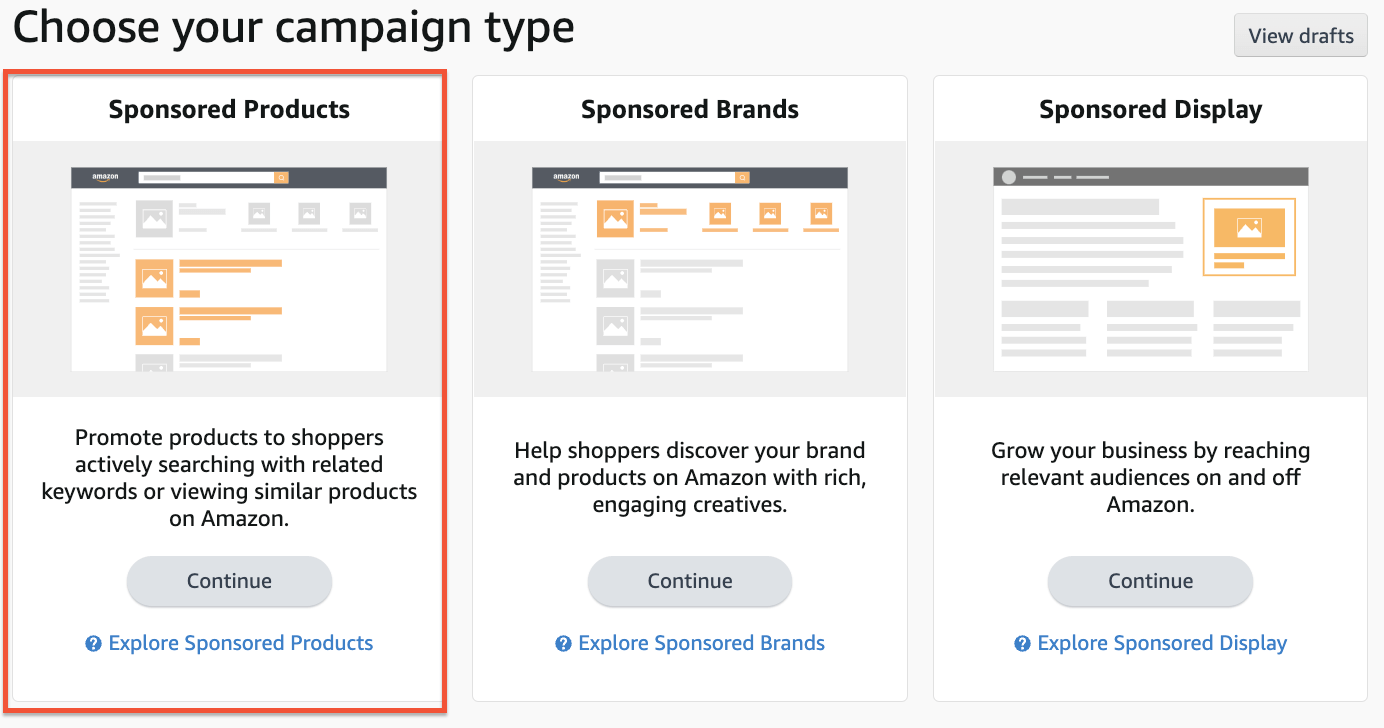
Amazon offers three main advertising formats, each with distinct advantages and use cases. Understanding when to use each type is crucial for building a comprehensive PPC strategy.
Sponsored Products
Individual product ads that appear in search results and product pages. Best for driving direct sales and improving organic rank.
Sponsored Brands
Banner ads featuring your logo, headline, and multiple products. Ideal for brand awareness and showcasing product lines.
Sponsored Display
Retargeting and audience-based ads that appear on and off Amazon. Great for re-engaging shoppers and conquesting competitors.
Sponsored Products Deep Dive
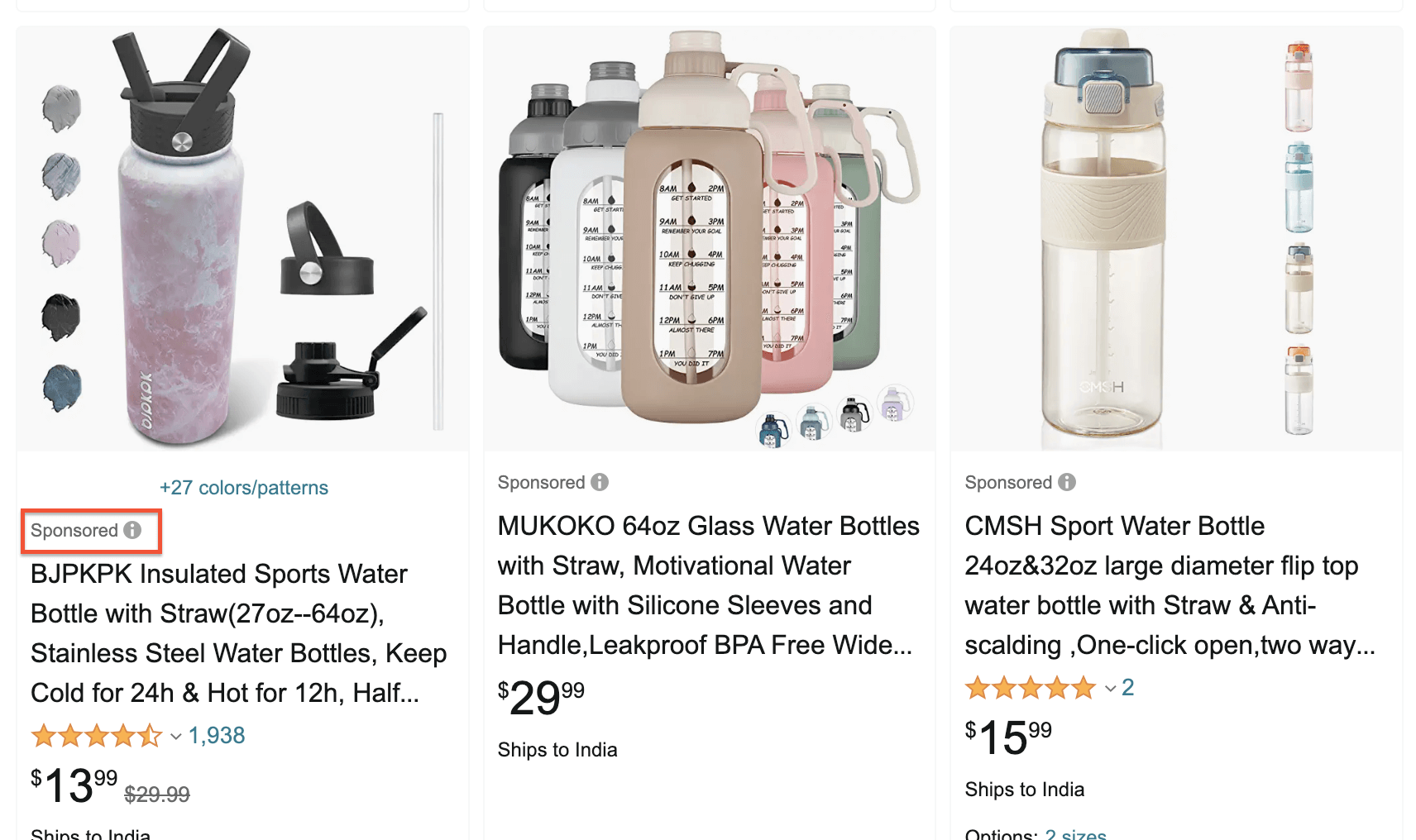
Sponsored Products are the bread and butter of Amazon advertising. These ads promote individual product listings and appear within search results and on product detail pages, blending seamlessly with organic results.
Where Sponsored Products Appear
- Top of search results – Premium placement with highest visibility
- Throughout search results – Mixed with organic listings
- Product detail pages – Below the buy box and in carousels
Campaign Types
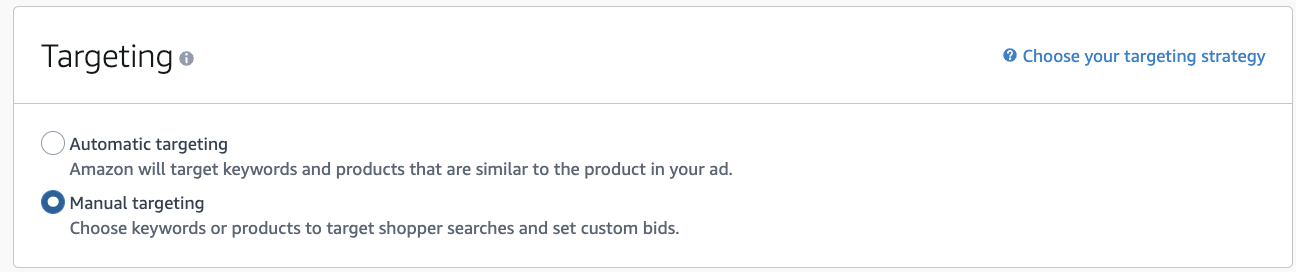
Automatic Campaigns
Amazon chooses which keywords and products to target based on your listing. Excellent for keyword discovery and low-maintenance advertising.
Best for: New products, keyword research, broad reach
Manual Campaigns
You select specific keywords or products to target with custom bids. Provides maximum control over targeting and spend.
Best for: Proven keywords, scaling winners, precise targeting
Sponsored Brands Explained
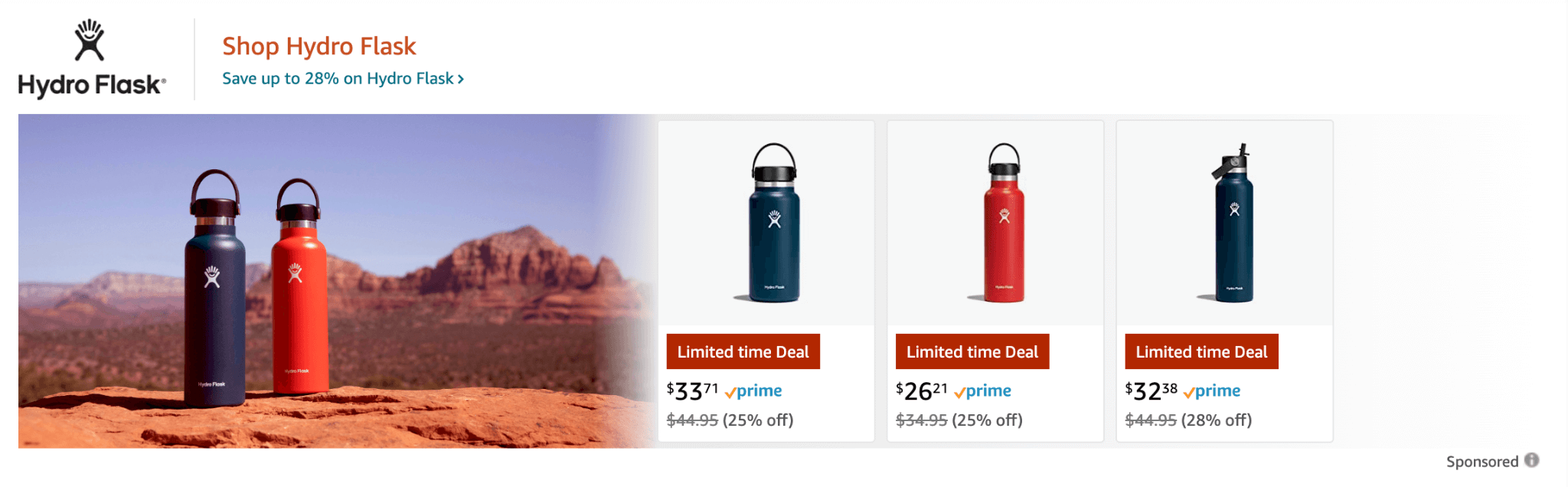
Sponsored Brands (formerly Headline Search Ads) are banner-style ads that feature your brand logo, a custom headline, and up to three products. They're available exclusively to sellers enrolled in Amazon Brand Registry.
Sponsored Brands Formats
Product Collection
Showcase your logo, headline, and up to 3 products. Clicking the logo or headline leads to your Store or a custom landing page.
Store Spotlight
Feature up to 3 Store subpages with custom images. Perfect for driving traffic to your branded storefront experience.
Video
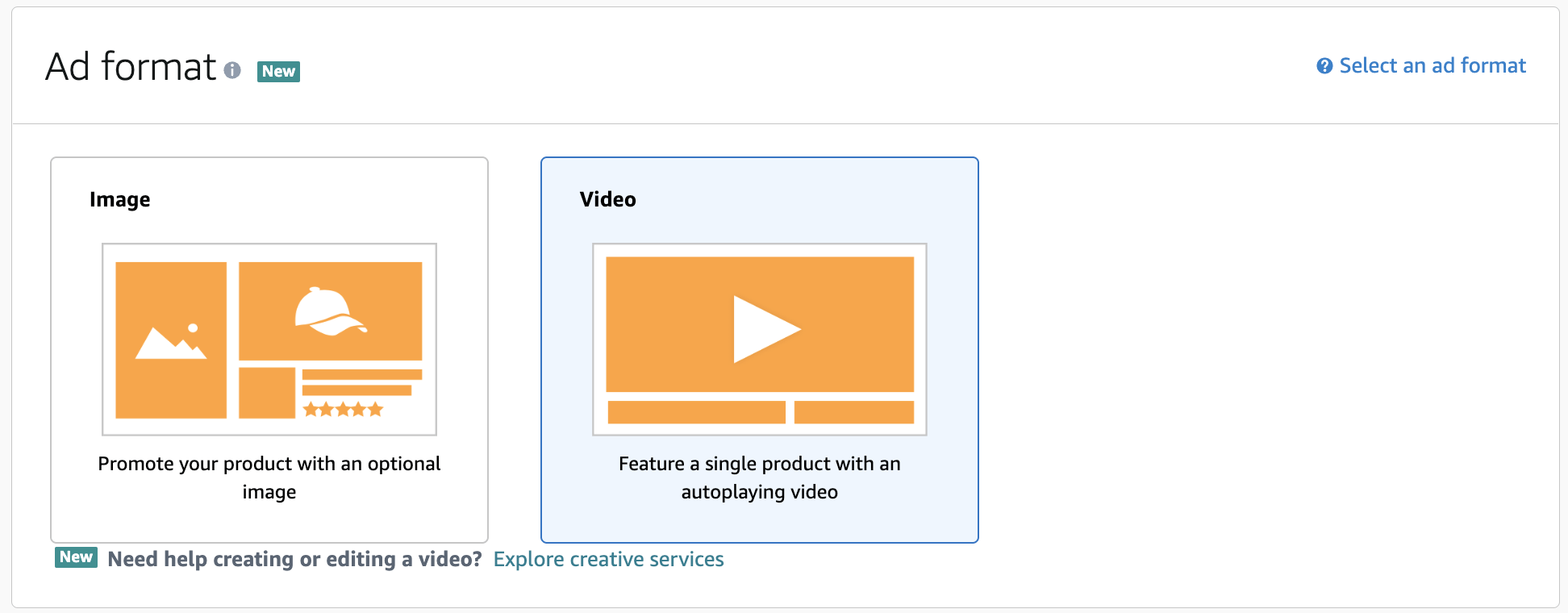
Auto-playing video ads that capture attention in search results. Videos must be 6-45 seconds and showcase a single product.
Pro Tip: Sponsored Brands Video
Video ads often have lower CPCs and higher conversion rates than static formats. Even simple product demonstration videos can significantly outperform standard ads. Aim for videos that show your product in action within the first 3 seconds.
Sponsored Display Ads
Sponsored Display is Amazon's self-service display advertising solution. Unlike Sponsored Products and Brands which target keywords, Sponsored Display targets audiences based on shopping behaviors, interests, and remarketing.
Targeting Options
Product Targeting
Show ads on specific product pages or category pages. Great for conquesting competitor products or cross-selling complementary items.
Audience Targeting
Target based on shopping behaviors like "viewed your products" or "purchased in your category." Powerful for retargeting.
Where Sponsored Display Ads Appear
- • Product detail pages (below buy box, reviews section)
- • Customer review pages
- • Amazon home page
- • Third-party websites and apps (Amazon DSP network)
- • Twitch and other Amazon-owned properties
Creating Your First Campaign
Setting up an Amazon PPC campaign is straightforward, but the structure you choose will significantly impact your ability to optimize and scale. Here's a step-by-step guide to launching your first Sponsored Products campaign.
Step-by-Step Setup
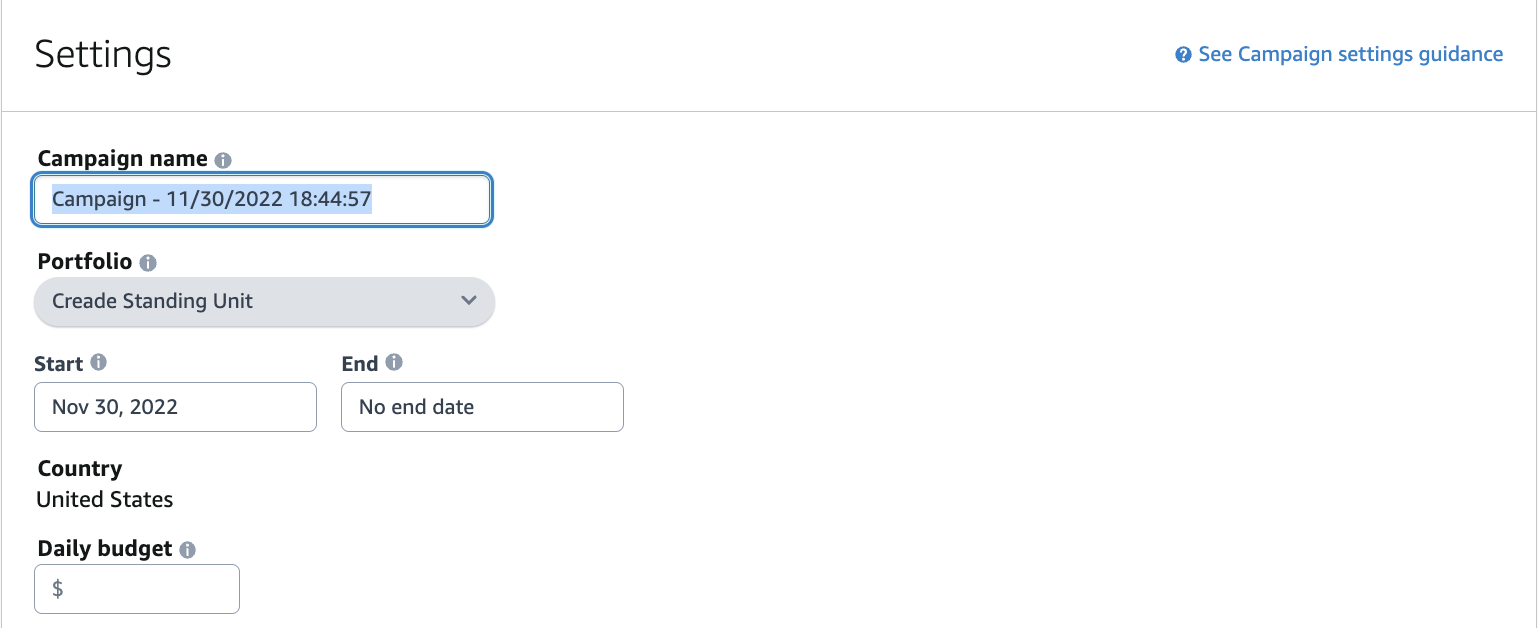
Name Your Campaign
Use a clear naming convention like: [Product]_[Type]_[Targeting]_[Date]. Example: "Yoga-Mat_SP_Manual-Exact_2025-01"
Set Your Daily Budget
Start with $20-50/day for new campaigns. You can always increase once you see what's working. Amazon may exceed your daily budget by up to 25%.
Choose Targeting Type
Automatic for keyword discovery, Manual for precise control. We recommend running both to maximize coverage and data collection.
Select Bidding Strategy
"Dynamic bids - down only" is safest for beginners. Amazon will reduce bids when conversion is unlikely but never increase them.
Add Products & Keywords
Add products to advertise and (for manual campaigns) your target keywords. Start with 15-25 relevant keywords per ad group.
Keyword Targeting Strategies
Keyword selection and match type strategy are fundamental to PPC success. Amazon offers three match types, each serving different purposes in your advertising funnel.
Match Types Explained
Broad Match
Your ad shows for searches containing your keywords in any order, plus synonyms and related terms. Widest reach but least precise.
Keyword: "yoga mat" → Matches: "best yoga mats", "exercise mat for yoga", "pilates mat"
Phrase Match
Your ad shows when the search contains your exact phrase in order, with additional words before or after. Balanced reach and precision.
Keyword: "yoga mat" → Matches: "blue yoga mat", "yoga mat for beginners"
Exact Match
Your ad shows only when the search closely matches your keyword. Highest precision but narrowest reach. Best for proven converting keywords.
Keyword: "yoga mat" → Matches: "yoga mat", "yoga mats" (close variants only)
Recommended Campaign Structure
Create separate campaigns or ad groups for each match type. This allows you to:
- • Set different bids based on match type performance
- • Control budget allocation between discovery and scaling
- • Identify which match types drive the best ACOS
- • Move winning keywords from broad to exact for better efficiency
Optimization Best Practices
Launching campaigns is just the beginning. Consistent optimization is what separates profitable advertisers from those bleeding money. Here are proven tactics to improve your PPC performance over time.
Negative Keywords
Review your search term reports weekly and add irrelevant terms as negative keywords. This prevents wasted spend on non-converting searches.
Example: If selling premium yoga mats, add "cheap" and "free" as negatives.
Bid Optimization
Adjust bids based on keyword performance. Increase bids on high-converting, profitable keywords. Decrease or pause underperformers.
Rule of thumb: Wait for 10+ clicks before making bid decisions.
Search Term Harvesting
Find winning search terms in automatic campaigns and add them as exact match keywords in manual campaigns for better control.
Pro tip: Add harvested terms as negatives in auto campaigns to avoid duplicate spend.
Placement Adjustments
Use placement modifiers to bid more aggressively for top-of-search or product page placements that convert well for your products.
Check: Campaign Manager → Placements report to see performance by position.
The Weekly Optimization Checklist
Common PPC Mistakes to Avoid
Even experienced sellers make these mistakes. Avoiding them can save you thousands in wasted ad spend and months of frustration.
✗Not Using Negative Keywords
Without negatives, you'll pay for irrelevant clicks. A yoga mat seller paying for "car floor mat" clicks is throwing money away.
✗Setting and Forgetting Campaigns
PPC requires ongoing optimization. Market conditions change, competitors adjust bids, and seasonal trends shift. Check campaigns at least weekly.
✗Bidding Too High on Day One
Start with moderate bids and adjust based on data. Overbidding early burns budget before you know which keywords actually convert.
✗Ignoring Listing Quality
PPC can't fix a bad listing. If your images, title, and bullets don't convert, you'll pay for clicks that don't turn into sales.
✗Running Only Automatic Campaigns
Auto campaigns are great for discovery but lack precision. Use them to find keywords, then move winners to manual campaigns for better control.
Ready to Master Amazon PPC?
Amazon PPC is a powerful tool that, when mastered, can transform your Amazon business. The key is starting with solid fundamentals, testing methodically, and optimizing consistently based on data.
Remember: profitability comes from the combination of efficient advertising AND strong listing fundamentals. Make sure your product pages are optimized to convert the traffic you're paying for.